Give a museum kiosk one dependable way back
A keyboard walkthrough for testing screen changes, focus and a way out of an exhibit interaction.
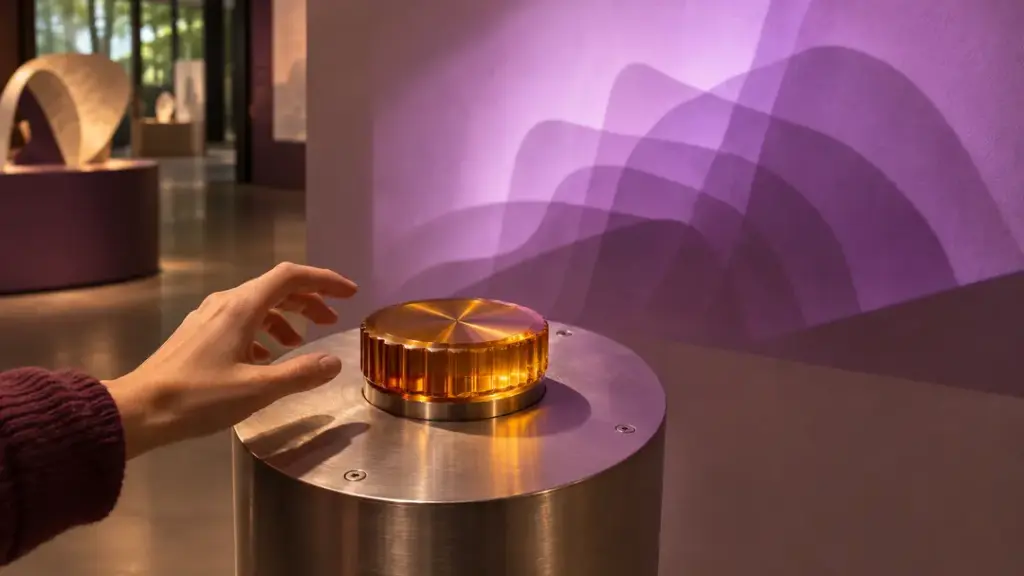
Suppose a visitor presses Start on a museum kiosk, changes a variable and gets a surprising result. They want to try again. The only button they can see opens a different activity. The exhibit has taught the visitor something about its menu and very little about the experiment.
A useful test is to make one round without touching the screen. Look for three things along the way. Where does focus go? Can someone change the variable? Can they return to the point where another attempt is possible? The route back matters as much as the route in.
Follow one lab-sized task
Imagine a shadow exhibit with a screen and a separate hand wheel. The screen can move from a welcome view to a prediction to a result. The wheel changes a physical condition at the installation. On the screen, there might be an option to replay the result and a second option to start a different prediction. Those do different jobs. Replay is useful when a visitor wants to look again. A new prediction should let them revisit the choice that produced the outcome.
Start with a simple instruction. Find the experiment, choose a prediction, then get back to the prediction screen. Give the tester a keyboard or the exhibit’s equivalent controls. Watch for workarounds. Having to tab through an unrelated welcome panel, losing track of focus and needing several presses for one action give you more useful evidence than a general verdict that the interface felt confusing.
Test the change of state
When a screen changes, the next visible control should make sense for the new task. A results view may lead to its heading or to a meaningful first control, depending on the way the interaction is built. Press the keyboard keys that actually operate those controls. Moving a highlight proves very little if the highlighted action cannot be activated or its effect cannot be recognised.
The W3C keyboard criterion covers operation through a keyboard interface, with an exception for functions that depend on the path of the movement itself. That distinction matters in a museum. Testing a digital menu does not call for turning the physical wheel into a keyboard control. It asks whether the part built as an interface can be operated through the intended input. The related keyboard-trap criterion addresses being able to move focus away from a component. W3C keyboard guidance and keyboard-trap guidance.
Try both kinds of return
First test the return the current visitor needs. Go from the result back to the experiment and check which choices carry over. Then test the handoff to the next visitor. A full reset may clear state and return to the welcome view. If the exhibit uses an unattended reset, arrange a separate test for a person still thinking or reading when it starts. Predicting an outcome and reading it are parts of the task.
Record the screen, the input, the expected return point and what actually happened. Fix the first point at which the tester loses the route. Run the same small task again before adding any more controls. This complements the floor test that asks whether visitors recognise the variable itself. The first test of an interactive exhibit.